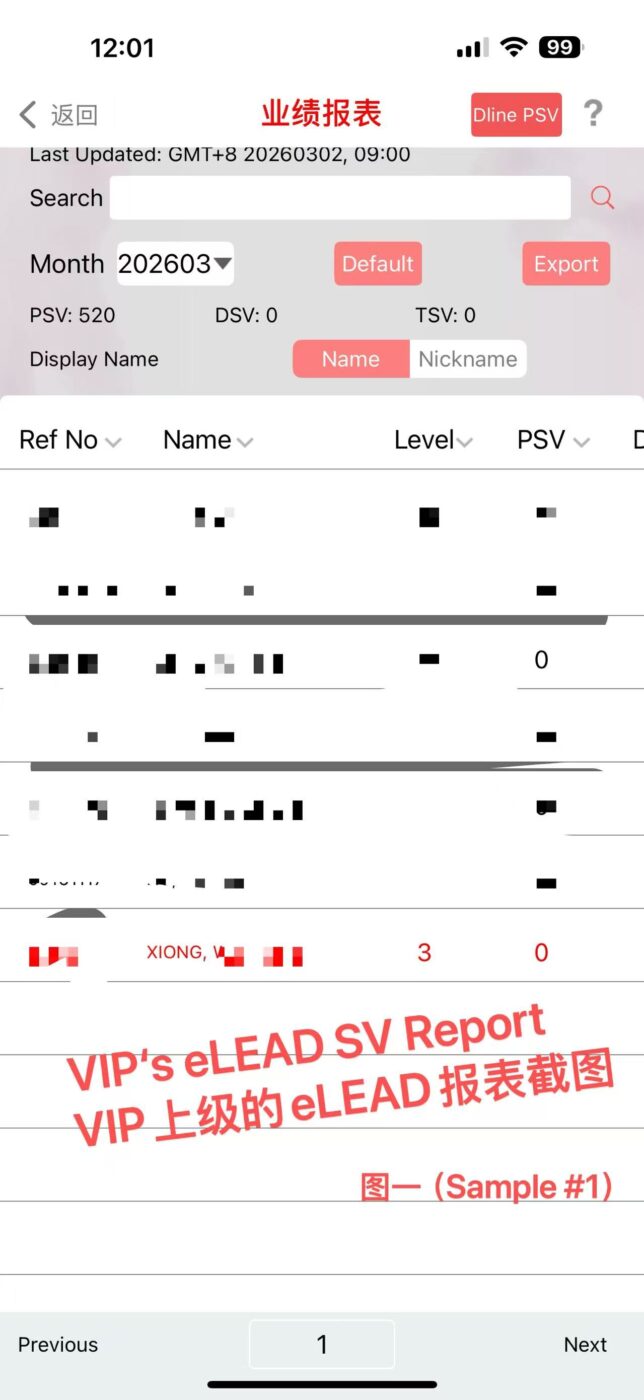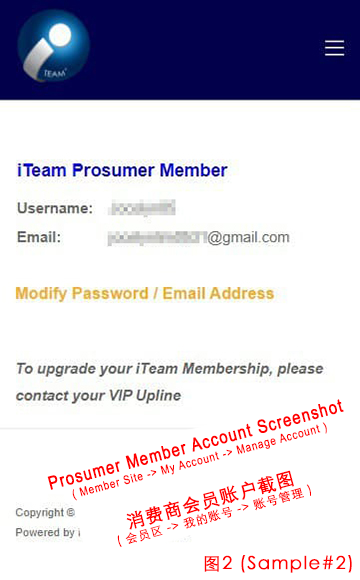
Apply Update New eLead ID for Downline 0% Complete 0/0 Steps Request to Update New eLEAD ID for Downline (attachments)帮下级申请更新伊环球编号 (附件) Login VIP’s SV Report→ Search Prosumer ID→ click Prosumer ID→ screenshot report (as per Sample#1) 登入VIP的业绩报表 → Search消费商ID → 点击消费商ID → 截图报表(如图1) 注意:所有输入的申请资料,若与 iTeam 网站的后台资料有差异者,申请将不被受理。您必须对提交信息的正确性负责 WARNING: If there is any differences between your submitted data with iTeam internal data, your application will be discarded without further notice. You are responsible on the correctness of submitted info. VIP eLead ID (VIP的伊环球编号)* VIP Upline's eLead SV Report (VIP上级的eLead报表截图)*Attachment as per Sample#1 (附件如图1)Max. file size: 20 MB. Downline's iTeam Membership Account Screenshot (下级iTeam会员的账户截图)*Attachment as per Sample#2 (附件如图2)Max. file size: 20 MB.